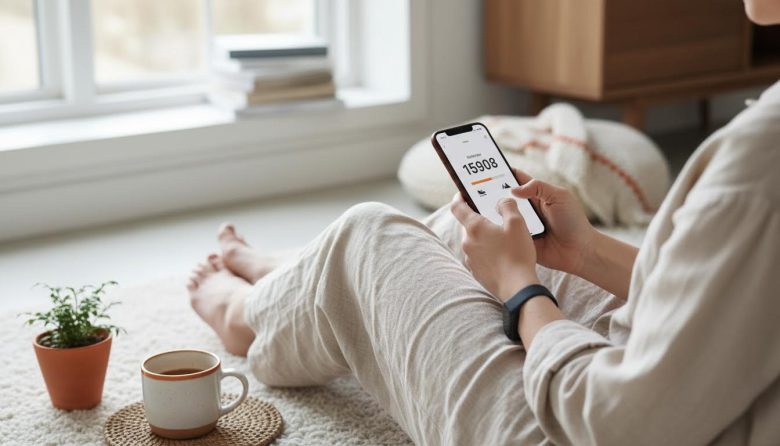
Stuck dodging crowds on your morning commute or chained to a desk all afternoon? Free apps make tracking steps a no-brainer, turning everyday hustles into sneaky energy boosts. No fancy watch needed—just your phone.
Picture this: subway stairs rack up counts while you sip coffee, or a quick lap around the block resets your screen-fried brain. These apps log it all, helping you hit 7,000-10,000 steps without derailing your urban grind. Benefits stack up fast—better mood from those endorphins, lighter legs after late dinners, and a simple way to dodge the gym rut.
We’ll dive into top free apps that fit tiny apartments and battery-conscious commutes. Plus, effortless tips, a 2-minute busy-day hack, and sustainability tweaks. Ready to make steps your secret weapon? Let’s walk through it.
Why Steps Sneak Into Your City Grind
City life packs steps into spots you barely notice. That elevator skip to the third floor? Hundreds banked. Subway platform shuffle during delays? Pure gold.
Desk workers, this is your cue. A 2-minute stand-and-pace every hour fights the slump. Late-night fridge raids or dog walks turn into bonus rounds without extra effort.
Why bother? Steps reset energy without the sweat of a full workout. They sharpen focus amid endless meetings and notifications. In small spaces, they’re your low-key mobility fix—no gym membership drama.
Pair step tracking with habits like how to improve posture with simple daily habits. Upright strides multiply counts and ease back strain from hunching over laptops. It’s practical momentum for your packed days.
Urban perks shine here. Commutes become step farms, errands mini-challenges. Track them, and motivation clicks—no forcing laps in a cramped living room.
Best Free Apps for Urban Step Tracking
Free apps crush it for city dwellers. They sync with your phone’s sensors, no extra hardware. Focus on battery life, accuracy in bumpy subways, and features for desk-bound routines.
Google Fit leads for Android fans—seamless Google sync, commute route maps. Apple Health owns iOS with tight Watch integration if you upgrade later. Pedometer apps like StepsApp keep it ultra-simple, while Accupedo adds customizable goals for irregular schedules.
Don’t sweat choices. This table breaks down the top picks for quick urban wins.
Free App Showdown for Step Tracking
| App | Platforms | Key Urban Features | Battery Drain | Best For |
|---|---|---|---|---|
| Google Fit | Android, iOS | Move minutes for desk breaks, GPS commute tracking | Low (background optimized) | Multi-device syncers |
| Apple Health | iOS | Seamless iPhone sensor use, trend graphs for small apartments | Minimal | Apple ecosystem users |
| Pedometer++ (StepsApp) | iOS, Android | Widget glances, elevator-skip reminders | Very low | Widget addicts |
| Accupedo | Android | Custom step goals, pocket accuracy for bumpy walks | Low | Goal tweakers |
| Samsung Health | Android | Tight Galaxy integration, urban challenge modes | Moderate | Samsung phone owners |
Pick based on your phone. All handle small-space pacing or erratic commutes. Battery stays solid for 12-hour days—test one today.
Quick Tips to Hit Steps Effortlessly
Boost counts without rethinking your day. These hacks fit anywhere.
- Phone in pocket during commutes—auto-tracks subway scrambles.
- Set desk alarms for 60-second laps around your cubicle.
- Skip elevators; stairs double steps in office towers.
- Evening phone check: Aim for 500 more via block loop.
- Pair coffee runs with extra street zigzags.
- Stack with hydration—check steps while grabbing water, like in 7 tips to boost your daily water intake.
- Apartment dwellers: Pace during calls, app confirms indoor strides.
No gear needed. Snap a screenshot of your first 5K day for motivation. Steps add up fast.
Quick Setup: From Download to Daily Count
Grab any app from above. Takes under 5 minutes.
- Download and open. Grant motion sensor access—no location needed for basics.
- Set daily goal: Start at 6,000 for realism, bump weekly.
- Enable background tracking. Pocket your phone upright.
- Customize notifications: Gentle buzz for every 1,000 steps.
Test with a short walk. App dashboard shows real-time counts. You’re live—glance at day’s end.
Pro tip: Link to calendar for commute reminders. Seamless from there.
For Busy Days: The No-Brainer 2-Minute Check
Crushed by back-to-back Zooms? Skip the guilt.
Just open app, scan total steps. Low? Add 500 with a block circuit—phone tracks it all. That’s your reset.
Two minutes max: Glance, walk, done. Builds the habit without overwhelm. Fallback for endless screen days.
Make It Sustainable Amid Screens and Small Spaces
Long-term wins come from tweaks, not force. Weekly Sunday review: Check app trends, adjust goals.
Habit stack: Steps during coffee brews or errand loops. Apartment? Indoor marches sync perfectly.
Zero-cost boosters: Resistance bands for seated leg lifts count as steps in some apps. Grocery run? Park farther.
For repeatability, tie to routines like how to introduce light jumping jacks safely post-steps. Keeps momentum in tight quarters.
Track streaks monthly. Tweak for your flow—sustainable steps beat burnout.
Common Hiccups and Fast Fixes
Battery hogging on commutes? Switch to low-power mode in app settings.
Desk accuracy off? Swing arm naturally; phone in front pocket works best.
Phone dies mid-day? Evening manual log 80% of steps—close enough.
Urban jostles mess counts? Calibrate weekly with a known walk distance. Smooth sailing.
FAQ
Do these apps drain my phone battery on long commutes?
Not much if optimized. Most run low-power sensor mode, sipping under 5% daily. Turn off GPS unless mapping routes—saves juice for all-day tracking.
Can I track steps in a tiny apartment without going outside?
Absolutely. Phone accelerometers catch pacing laps or kitchen circuits. Aim for 10-minute indoor walks; apps log reliably in small spaces.
What if I switch phones mid-month?
Cloud sync saves history—Google Fit or Apple Health exports data easily. Restart on new device; totals carry over in minutes.
How accurate are free apps vs. fancy wearables?
Within 5-10% for steady strides. Wearables edge bumpy commutes, but phone suffices for urban basics. Calibrate often for spot-on counts.
Best substitutions for non-walkers (e.g., desk steps)?
Seated marches or ankle weights fool sensors into step counts. Apps like Google Fit credit “move minutes.” Low-effort win for chair-bound days.